
Blog
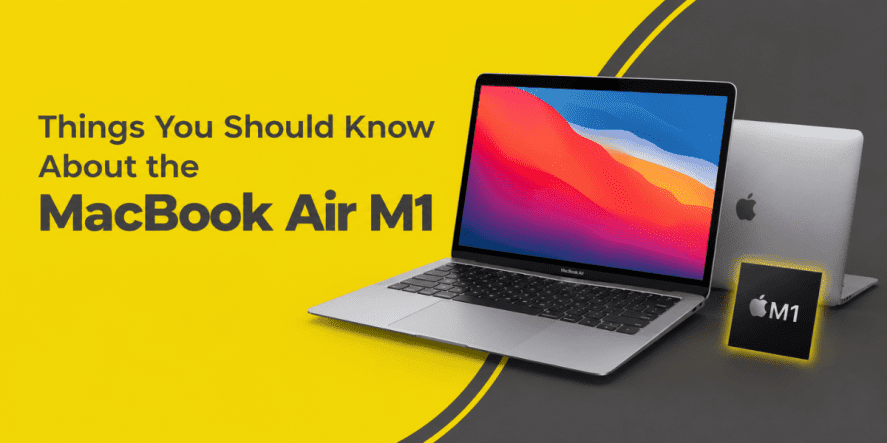
Things You Should Know About the MacBook Air M1

Published: 15 March 2023
Last updated: 18 Sept 2026
Apple quietly rewrote the rules of the ultraportable laptop the day it dropped Intel chips from the Air and slid in its own silicon. Nobody expected a fanless laptop to outrun machines twice its price, yet years later the MacBook Air M1 is still on shopping lists across Pakistan. Students want it for lecture halls, professionals want it for travel, and creators want it for light editing work on the go.
If you want to learn more about the MacBook Air M1 before spending your money, this guide covers the design, the chip, the battery, and everything else that matters for daily use.
Getting to Know the MacBook Air M1
Apple’s official website confirms that the laptop launched in November 2020 as the first Mac built around its own M1 chip, and it changed how people talk about MacBook Air performance almost overnight. The body kept the familiar wedge shape, but everything running underneath it was new. It was a bold move for a company known for playing it safe with hardware changes, and it paid off for daily users who just wanted a laptop that worked without fuss.
The bigger shift was less about looks and more about what the chip made possible. Reviewers noticed a fanless laptop running cooler and quieter than machines packed with active cooling, and everyday buyers noticed a battery that lasted through a full day of work or class. That combination of quiet, efficient performance is a big reason people still ask questions about these laptops years after the original release.
The outside of the laptop barely changed from earlier models, but the small details still matter for anyone carrying it daily.
1. Same Iconic Wedge Shape
The tapered aluminum body is instantly recognizable, thin at the front edge and slightly thicker near the hinge. This shape keeps the laptop rigid without adding bulk, and it slides into most bags without any trouble.
2. Three Color Options to Match Your Style
Buyers can choose between gold, silver, and space gray, giving the laptop a bit of personality beyond the usual gray metal look most ultrabooks share. Each finish uses the same anodized aluminum, so the choice comes down to personal taste, not build quality.
3. Compact Enough for Daily Carry
The 13.3-inch footprint fits easily on a coffee shop table, an airplane tray, or a small desk at home. It does not feel like you are lugging around a full workstation to check email or edit a document.
MacBook Air M1 Features Worth Knowing
The real story of this laptop sits inside the case, and the features below explain why reviewers kept comparing it to laptops costing far more.
The M1 Chip and Why It Matters
The M1 combines the processor, graphics, and memory controller into a single chip, eliminating the separate components older laptops relied on. This design cuts wasted power and lets the laptop handle browsing, editing, and light creative work without slowing down or overheating.
Retina Display With True Tone
The 2560 by 1600 pixel screen keeps text sharp and photos looking accurate under different lighting, since True Tone adjusts the white balance to match the room. Colors stay consistent for editing photos or watching video content.
Touch ID for Quick Access
A small sensor sits in the top corner of the keyboard, letting you unlock the laptop or approve a purchase with a fingerprint and skip typing a password every time. It works quickly and rarely misreads a finger.
Fanless Design and Silent Operation
This laptop has no cooling fan, so it runs completely silent even under heavier workloads like video editing or gaming. The aluminum body manages heat by spreading it across a wider surface, with no moving parts.
Thunderbolt Ports for Fast Connections
Two Thunderbolt 3 ports handle charging, external displays, and fast data transfer through a single cable type. They are versatile, though anyone who relies heavily on older USB-A accessories will need an adapter.
MacBook Air M1 2020 Battery Life
Ask any longtime owner what they like most, and battery life comes up almost every time. The 2020 model offers up to 18 hours of video playback and up to 15 hours of wireless web browsing on one charge, according to Apple. That covers a full workday for most people, meeting after meeting, without hunting for an outlet.
Everyday use rarely matches lab numbers exactly, but owners commonly report getting through a school day or a full shift at the office on one charge. Light tasks like writing, browsing, and video calls stretch the battery even further than heavier editing work would, which is part of why this laptop remains popular with students and remote workers alike.
MacBook Air M1 Specifications at a Glance
Here is a quick snapshot of the core specs, useful for comparing this laptop against other options before you buy.
| Specification | Details |
| Chip | Apple M1, 8-core CPU |
| Display | 13.3-inch Retina, 2560 x 1600 pixels |
| Battery | Up to 18 hours video, up to 15 hours web browsing |
| Weight | 2.8 pounds (1.29 kg) |
| Ports | Two Thunderbolt 3 (USB-C), 3.5mm headphone jack |
| Storage | 256GB to 2TB SSD |
| Memory | 8GB or 16GB unified memory |
Table source: https://support.apple.com/en-us/111883
Every number in the table points to a laptop built for daily use, not just benchmarks. Golden Camera provides a market-competitive Apple MacBook Air M1 price in Pakistan, making it easier to compare your options. Reach out today for a performance that doesn’t ask for a second look!
How the Air M1 Weight Adds Up in Daily Use
A laptop only stays useful if you are willing to carry it around, and this is where the numbers work in its favor.
- Lighter Than Most Windows Ultrabooks: At 2.8 pounds, it is lighter than many competing ultrabooks, making it easier to carry all day.
- Easy to Carry for Students: Textbooks, chargers, and water bottles already fill up a backpack fast, so a lighter laptop leaves more room for everything else on campus.
- A Good Travel Companion: Frequent flyers appreciate a laptop that slips into a carry-on without adding noticeable bulk, and the thin profile fits into smaller sleeves and bags.
- Comfortable for Daily Commuting: Anyone who walks or takes public transport to work knows every pound matters after the first mile, and the lighter build reduces shoulder and back strain.
- Simple to Pack for Trips: Weekend getaways and short work trips stay light when the laptop itself barely registers in a carry-on bag, leaving more room for other essentials.
Software and Daily Usability
Hardware only tells half the story, since the operating system shapes the user experience and influences several key MacBook Air M1 features in daily use. The M1 runs macOS natively, supporting smooth performance and access to ongoing software updates.
Its shared architecture with Apple’s mobile devices also allows many iPhone and iPad apps to run directly on the laptop. The backlit keyboard supports comfortable typing, while the Force Touch trackpad supports precise cursor control and Multi-Touch gestures, making everyday use feel refined.
Who Should Consider This Laptop Today
Not every buyer needs the same thing from a laptop, so matching the machine to your routine matters more than chasing the newest release.
- Students Who Need Portability: Long days on campus call for a laptop that lasts without a charger and doesn’t weigh down a backpack. Word processing, research, and video calls all run smoothly on this machine.
- Professionals Who Travel Often: Frequent travelers benefit from the long battery life and light frame, especially on trips packed with meetings and layovers. Email, spreadsheets, and video conferencing all run without a hitch.
- Content Creators on a Budget: Photo editing and light video work run well on the M1 chip, making it a reasonable entry point for creators who are not yet working with large 4K project files.
- Everyday Home Users: Families who mostly browse, stream, and handle household paperwork will find more power than they will ever fully use, plus quiet operation on a shared desk.
- Casual Gamers and Streamers: Lightweight games and streaming apps run smoothly thanks to the integrated GPU, making this a fine secondary machine for entertainment alongside daily work tasks.
Where the MacBook Air M1 Falls Short
No laptop is perfect for everyone, and a few limitations are worth weighing before you commit to buying one. The laptop has only two Thunderbolt ports and a headphone jack, so connecting an SD card or additional USB devices requires an adapter. This can be inconvenient for photographers who transfer files directly from a memory card.
RAM and SSD capacity are also set at the time of purchase and cannot be upgraded later, so it pays to choose configuration carefully from the start. Buyers planning heavier future workloads, larger photo libraries, or bigger project files should pick the 16GB memory option over the base configuration.
What Independent Battery Testing Confirms
Lab results from outside Apple back up the battery claims and do not just repeat marketing figures. In a hands-on battery test by Tom’s Guide, the MacBook Air M1 2020 battery life reached 14 hours and 41 minutes during continuous web browsing, outlasting rivals like the Asus ZenBook 13 and Dell XPS 13.
That kind of independent confirmation gives buyers a more realistic picture than manufacturer estimates alone. It also explains why this laptop still gets recommended for long travel days and packed work schedules, since the gap between advertised numbers and real testing turned out to be smaller than most buyers expect.
Apple also publishes its testing methodology so buyers don’t have to guess where the numbers come from. According to Apple’s official support documentation, its wireless web battery test measures continuous browsing across 25 popular websites with display brightness set to a fixed level, giving a consistent benchmark across every configuration it sells.
This transparency matters because battery claims are easy to inflate without a clear testing standard.
Frequently Asked Questions
1. Is The Macbook Air M1 Still Worth Buying?
Yes, for everyday tasks like browsing, writing, and video calls, it remains a capable and efficient laptop. Its long battery life, silent fanless design, and smooth performance still hold up well against newer, pricier alternatives, making it a sensible choice for most non-demanding, day-to-day computing workloads today.
2. What Are The Main Features Of The MacBook Air M1?
Key features include the M1 chip, Retina display with True Tone, Touch ID, a fanless design, and two Thunderbolt 3 ports. Together, these make it fast, quiet, and simple to use for daily computing needs, from schoolwork to everyday office tasks.
3. How Long Does The MacBook Air M1 Battery Last?
Apple rates it at up to 18 hours of video playback and up to 15 hours of wireless web browsing on a single charge. Real-world use during a typical workday usually lands somewhere close to these figures, depending on screen brightness, connected accessories, and overall workload.
4. Can The MacBook Air M1 Handle Photo And Video Editing?
It manages light to moderate photo editing and short video projects comfortably, thanks to the efficiency of the M1 chip. Heavier 4K editing or large multitrack projects run better on the MacBook Pro, which includes active cooling built for longer, more demanding creative sessions.
5. What are the Limitations of the MacBook Air M1?
Its main drawbacks are the limited port selection and fixed memory and storage that cannot be upgraded after purchase. Buyers who need multiple ports, an SD card reader, or plan to expand storage later should factor this in carefully before ordering.
Final Thoughts
The facts worth knowing about the MacBook Air M1 go beyond specs on a page, and the M1 generation earns its reputation through silent performance, a comfortable build, and battery life that genuinely lasts a full day. It is not built for the heaviest editing workloads, but for students, travelers, and everyday professionals, it covers the basics extremely well.
Reputation is built one full day of battery life at a time. If long-lasting performance is on your list, browse Apple MacBook prices in Pakistan at Golden Camera and find the configuration that fits your routine. Shop from us today and see what the hype is actually about!