
Blog
Camera Autofocus Not Working? Here’s How to Fix It

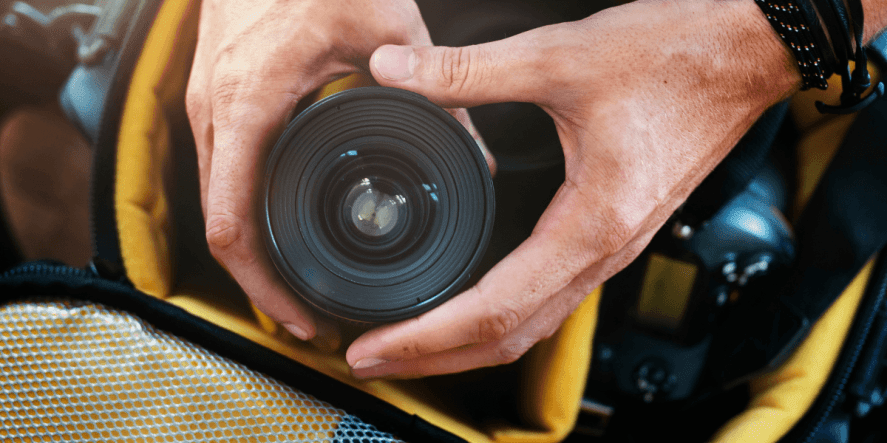
There are few things more aggravating than lifting your camera, pressing the shutter halfway down, and watching the lens hunt aimlessly without locking focus. You know the scene is there, the light is right, but your camera’s autofocus is not working, and the moment slips away. Autofocus failures are one of the most frequently reported issues among photographers, from first-time hobbyists to seasoned professionals.
Luckily, most autofocus problems are entirely fixable without sending your gear to a repair shop. This guide breaks down the most common culprits and gives you clear, actionable steps to get your camera focusing sharply again.
Why Your Camera Autofocus Stops Working
Here’s why your camera’s autofocus suddenly stops working. Learn more about it below:
The Underlying Causes Most Photographers Miss
Your camera’s AF system relies on contrast detection, phase detection, or a combination of both to determine where to place the sharp focus. When any part of that chain gets disrupted, a dirty contact, a wrong mode setting, a mechanical fault, or poor shooting conditions, the entire system can stall or produce inaccurate results. Autofocus failure can range from the system not attempting to focus at all to continuously hunting without ever locking. The causes span everything from physical obstructions to incorrect focus point settings.
Check the AF/MF Switch on Your Lens First
This sounds almost too simple, but it is the most overlooked fix in the book. The very first thing to check when dealing with a DSLR autofocus problem is that your lens is set to AF and not MF. The switch sits on the side of the lens, and it is surprisingly easy to accidentally nudge it when pulling the camera out of a bag. Flip it, half-press the shutter, and try again before doing anything else.
Clean the Lens Contacts
The electronic contacts between your lens and camera body are the communication bridge for the AF motor. Dirt or dust on these contacts can interfere with communication and prevent the autofocus from working properly. Clean them carefully with a soft cloth or a cotton swab lightly dampened with isopropyl alcohol.
After cleaning, operate the AF/MF switch about a dozen times. Repeatedly toggling the switch can sometimes help clear minor oxidation. Avoid touching the glass unnecessarily, and clean it only with proper lens-cleaning tools; avoid high-pressure or unregulated compressed air, as it may damage delicate contacts.
Inspect the Lens and Check the Mount
A lens that is not properly seated on the camera body causes all sorts of issues. Always make sure the lens clicks into place securely. If you are experiencing blurry photos from an autofocus issue, remove the lens entirely and inspect both the front and rear elements for spots, dirt, or visible damage. If you have filters attached, check that they are clear and free of cracks, as a damaged filter can directly interfere with the AF system.
Understand How Lighting and Subject Contrast Affect AF
Your autofocus system needs enough visual information to do its job. It may struggle in low light, and it frequently fails on non-contrasting subjects such as a solid-color wall, a cloudless sky, or repetitive patterns like skyscraper windows. If you are shooting in dim conditions and getting soft results, enable your camera’s AF-assist beam, switch to the central focus point (the most sensitive one on most cameras), or use a wider-aperture lens to let in more light.
If you are wondering which body performs best in mixed lighting, look for cameras with cross-type AF points or on-sensor phase detection. These handle challenging contrast situations far better than basic contrast-detect systems. Golden Camera offers the best price on a DSLR camera in Pakistan, so you can check out our collection online to see which camera body fits your needs.
Wrong AF Mode Settings
Sometimes you select the wrong AF mode and need to switch to a different one.
Matching the Mode to Your Subject
If you are wondering how to fix the autofocus of a camera, the first step is selecting the right AF mode for what you are shooting. Single autofocus (AF-S or One-Shot AF) locks focus when the shutter is pressed halfway and works well for still subjects.
Continuous autofocus (AF-C or AI Servo) keeps adjusting as the subject moves, making it ideal for action. Using AF-S on a sprinting athlete or AF-C on a stationary product will produce consistently soft results, not because the camera is broken, but because the mode is mismatched.
Also, check your focus area selection. A setting that is too wide may lock onto the background instead of your subject. A setting that is too narrow may fail to find the subject at all. For a single subject, use single-point mode. For moving subjects, use dynamic-area or wide-area mode.
Update Your Camera and Lens Firmware
Manufacturers regularly release firmware updates that improve autofocus performance, fix bugs, and resolve compatibility issues between newer bodies and older lenses. This step is especially important if your lens autofocus is not working after pairing an older lens with a newer camera body. Visit your manufacturer’s website, locate the firmware section for your specific model, download the latest firmware, and follow the installation instructions.
Roy Veith, who has 35 years of photography experience, from Digital Photography School, says:
“Update the firmware whenever you can. It’s an easy process, as I show below, and it can offer excellent improvements, not to mention fixes for serious issues.”
Restart Your Camera or Perform a Full Reset
If logical troubleshooting has not resolved the issue, turn the camera off, wait a few seconds, and turn it back on. This basic reboot clears temporary software glitches and will sometimes fix the problem outright; if it does not, try a full factory reset.
Resetting to default settings is a reliable way to identify problems caused by complex custom configurations that have unknowingly disrupted AF behavior. Note down your custom settings first so you can restore them after the reset.
Test with a Different Lens
Before concluding that your camera body needs repair, test it with a second lens. If the second lens autofocuses normally, the problem is with the original lens, not the body. If the second lens also fails, the camera body is the likely culprit. This single step separates body problems from lens problems and tells you exactly where to direct your repair budget.
When to Seek Professional Repair
Here’s when to seek professional repair. Go through this checklist.
| Checklist Item | What It Indicates | Recommended Action |
| Persistent autofocus failure in good lighting | Likely hardware issue (AF motor, sensor, or calibration), not environmental limitations | Test different AF modes (AF-S/AF-C), switch focus points, and try another lens; if failure persists across setups, proceed with professional diagnosis or repair |
| Unusual sounds during focusing | Could be normal motor operation OR early signs of mechanical wear (grinding/clicking is concerning) | First, disable AF/IS to isolate the noise; if the sound is grinding/clicking or continues abnormally, stop using the lens and seek professional inspection |
| Visible physical damage to the lens/camera | External damage may affect internal components or allow dust/moisture intrusion | Avoid further use, check for loose mounts or misalignment, and immediately consult a repair specialist to prevent worsening internal damage |
| Manual focus works, but autofocus does not | Likely issue with AF motor, electronic contacts, or lens-body communication | Clean lens contacts, test the lens on another camera (or vice versa), and confirm AF settings; if AF still fails, repair or replace the faulty component |
| Issue persists after cleaning and firmware updates | Problem beyond basic troubleshooting (mechanical, electronic, or calibration fault) | Perform cross-testing (different lens/body), check for calibration issues, and arrange professional servicing or recalibration |
Seeking professional repair will be the best decision that you can make. For premium glass, professional repair almost always makes better financial sense.
Frequently Asked Questions
Why is my camera’s autofocus not working properly?
Your camera’s autofocus not working properly is usually caused by one of several common issues: the lens AF/MF switch being set to manual focus, dirty electronic contacts between the lens and body, an incorrect AF mode for your subject type, low-contrast or low-light shooting conditions, or a firmware compatibility problem. Start with the simplest checks and work systematically through each potential cause before considering hardware repair.
How do I fix blurry images caused by focus issues?
To fix blurry photos caused by an autofocus issue, first confirm your camera is in autofocus mode, not manual. Check that the lens contacts are clean and the lens is securely mounted. Select a single, precise focus point rather than relying on wide-area AF. In low light, enable the AF-assist beam or switch to manual focus. If the problem persists across all lenses, a camera reset or AF calibration through AF fine-tune may be necessary.
Can a faulty lens cause autofocus problems?
Absolutely. A faulty lens is one of the most common causes of autofocus failure, and a lens that doesn’t autofocus is a specific, diagnosable problem. If your camera focuses correctly with a second lens but fails with one particular lens, the autofocus motor, internal gearing, or electronic contacts on that lens are likely the culprit. Testing across multiple lenses is the fastest way to confirm this and plan your next move.
Should I switch to manual focus if autofocus fails?
Switching to manual focus is a practical short-term solution when you need to keep shooting, but it should not be your permanent fix. To properly fix a DSLR autofocus problem, follow the troubleshooting steps in this guide. Manual focus requires consistent technique and is harder to execute accurately in fast-moving situations. Once you identify and resolve the underlying autofocus issue, you will be far better positioned for reliable, sharp results.
How do I reset autofocus settings on my camera?
Navigate to your camera’s main menu and look for options labeled “Reset All Settings,” “Factory Reset,” or “Clear All Custom Settings.” On Canon bodies, this is typically under the yellow wrench menu. On Nikon, check the Setup menu for “Reset User Settings.” After resetting, reassign your preferred AF mode and focus area. This resolves focus issues caused by unintentional changes to custom configurations that quietly disrupted the autofocus behavior.
Final Thoughts
A camera autofocus issue can be frustrating, but it is rarely permanent. Check the AF/MF switch, lens contacts, and AF mode first. Next, consider firmware updates, lens changes, and hardware tests. Usually, these steps restore autofocus, saving your shot. Ensure your gear works before fighting a faulty autofocus.
Golden Camera offers the best range of DSLRs, mirrorless cameras, and lenses to suit every budget and shooting style across the country. Check out our affordable camera prices in Pakistan and find the right kit at the right price.