
Blog
Continuous Light vs Flash Lighting Explained

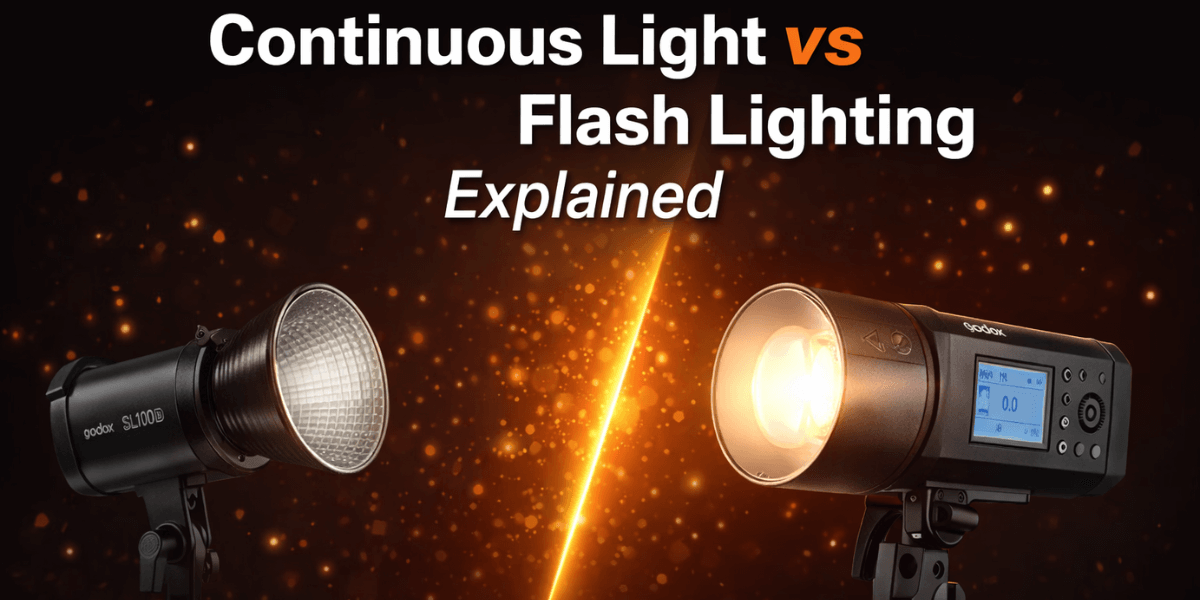
Light is the first decision you make, and it changes everything. You stand in a room with two tools: one that glows and one that blinks. Choosing the right type of light shapes the mood, sharpness, and overall impact of your work. Continuous lighting vs flash lighting is a decision every creator faces, and understanding their strengths and limitations helps you achieve the results you want with confidence.
Understanding the Basics: Continuous and Flash Lighting
What is Continuous Light?
Continuous light is exactly what it sounds like. It’s a light source that stays on, from the moment you switch it on until you turn it off. The sun is the most natural continuous light. In the studio, this could be a bright LED panel, a fluorescent ring light, or an old-fashioned tungsten movie light.

What you see is what you get. Since video is a series of continuous moments, you need light that is constant and flicker-free. Modern LED panels have become the go-to for this reason, offering adjustable color temperature and brightness.
What is Flash Lighting?
Flash lighting, often called strobe lighting, is all about power and freeze. It produces a very brief, intense burst of light when you take a photo. Your camera’s tiny pop-up flash is a basic example. Professional studio strobes are much more powerful and controllable.
This is a core part offlash photography basics. You use modeling lamps, test shots, and experience to understand how that sudden burst will shape your subject. Its main superpower is overpowering ambient light, allowing you to create dramatic, crisp images even in a bright room.
Continuous Lighting vs Flash Lighting: Understanding the Difference
Choosing the right lighting can change how your photos or videos look. Continuous and flash lighting have unique advantages and challenges that affect creativity, exposure, and workflow. Understanding them helps creators make better decisions.
1. Ease of Adjustment
Continuous lights let you see changes immediately, making repositioning and exposure adjustments easier. Flash requires taking test shots and careful calibration, but once set, it offers precise control over the scene.
2. Motion and Action Handling
Flash is excellent for freezing fast movement, making it suitable for sports, events, or any situation with dynamic subjects. Continuous relies entirely on shutter speed (or very bright light for fast shutters). It can freeze moderate motion but struggles with ultra-fast action without high ISO/noise or shallow depth.
3. Color Control and Mood
Continuous lights offer a range of color temperatures, allowing you to warm or cool a scene easily. Flash units often rely on gels or presets to achieve similar effects. Combining both can help balance exposure and enhance creative control.
4. Practical Uses for Each
Continuous lighting is ideal for live shoots, tutorials, or video projects that require immediate feedback. If you create hybrid content, continuous lighting changes the game for video. It provides steady illumination without flicker, ideal for smooth footage. Many YouTubers and filmmakers rely on it for interviews or tutorials.
Flash works well in studio setups, commercial photography, or situations that require sharp, repeatable lighting. Using both types together can produce dynamic results.
A Quick Comparison Table
| Feature | Continuous Lighting | Flash Lighting |
| Light Output | Steady and visible | Quick, intense burst |
| Best For | Video, live adjustments | Studio portraits, action shots |
| Motion Handling | Limited | Excellent for freezing motion |
| Ease of Use | Immediate feedback | Requires test shots |
| Color Control | Adjustable LEDs | Gels or presets |
| Heat Output | Can generate heat over time, while modern LEDs run cool with minimal heat. | Low due to short bursts |
| Power Consumption | Continuous draw | Low, brief bursts |
| Exposure Flexibility | Real-time adjustments | Precise but requires planning |
Lighting Techniques for Creators
Good lighting transforms visuals. Mastering lighting techniques improves clarity, mood, and creativity, helping creators achieve professional results efficiently. Here are a few studio lighting tips to enhance any project quickly and effectively:
- Position lights to control shadows and highlights effectively.
- Use softboxes or diffusers for even, flattering illumination.
- Adjust color temperature to match the scene and maintain consistency.
- Incorporate reflectors to fill shadows without adding extra lights.
- Balance ambient light with artificial light for natural-looking results.
- Experiment with angles and height to enhance depth and texture.
- Combine different light sources strategically to add dimension and focus.
- Control background lighting to separate subjects and reduce distractions.
Read more about the pros and cons of continuous light vs. flash lighting in detail.
FAQs
1. What is camera firmware?
Camera firmware is the software built into your camera’s hardware. It controls core functions like autofocus, image processing, menu systems, and power management. This software helps your camera process images, handle settings, and communicate with accessories. Manufacturers release updates to fix bugs, add features, and improve performance over time.
2. Why should I update my camera firmware?
Updating your camera firmware helps improve performance and reliability. Updates can fix bugs, improve autofocus accuracy, add new features, enhance image processing, and sometimes extend battery life. It ensures your device runs smoothly with the latest manufacturer updates.
3. Is it safe to update camera firmware?
Updating camera firmware is usually safe if done correctly. Always follow the manufacturer’s official instructions and do not turn off your camera during the update process. Make sure your battery is fully charged. Interruptions during a firmware update can lead to serious problems.
4. How often should camera firmware be updated?
Firmware updates vary by model and manufacturer. You should check for updates a few times each year or when you hear about a problem or new feature release. Professional shooters may check more often. Updates are not always necessary, but checking ensures you benefit from performance improvements.
5. What happens if the firmware update fails?
If a firmware update fails, the camera may not function normally. In some cases, you may need to take it to a service center to have it restored. Always follow the instructions and ensure the battery does not die during the update. Many manufacturers provide recovery methods, but they can require extra steps and support.
Conclusion
Selecting the proper lighting depends on the project type. Continuous lighting provides steady illumination for video or tutorial work, while flash delivers sharp, repeatable results for still photography. Understanding how each type behaves allows creators to achieve professional-quality visuals. Understanding this fundamental choice is a massive step in mastering lighting techniques for creators of all kinds. Your journey with light is personal, and each type teaches you to see the world differently.
Upgrade your creative space with premium studio lighting equipment. Golden Camera offers professional-grade gear, expert guidance, and reliable service to help you achieve flawless lighting for every shoot.
How does Continuous Light vs Flash Lighting Explained impact readers or the community today?